Service intelligence
14 curated service profiles with matching evidence, official references and next steps. Unknown destinations are not labeled malicious.
Understand third-party services with local intelligence cards, compare visits against a saved baseline, and test privacy choices using bounded observation windows.
Chrome Web Store · 1.4.0
Understand third-party services with local intelligence cards, compare visits against a saved baseline, and test privacy choices using bounded observation windows.
14 curated service profiles with matching evidence, official references and next steps. Unknown destinations are not labeled malicious.
Save a baseline for a browsing scenario and compare later visits. Non-comparable conditions return insufficient evidence.
Choose a service and expected presence, then review a 10–120 second observation window. You operate the website’s own privacy controls.
Check collection, navigation, pause, Geo and bridge settings. Diagnostics exports omit website origins and hostnames.
These features operate on supported browser-visible evidence. No additional extension permissions or extension analytics were added.
Chrome Web Store · 1.4.0
SiteEgress separates observed, declared, matched, and heuristic evidence, then lets you compare two time-bounded local checkpoints without claiming legal compliance.
Map first-party and third-party hostnames seen through browser-visible resource and API activity.
Identify common analytics, advertising, session replay, messaging, and observability services from a packaged local catalog.
Capture minimized before/after evidence windows and compare destinations, services, countries, signals, and score changes.
Surface Canvas, WebGL, Audio, WebRTC, device enumeration, and related high-entropy API use as conservative heuristics.
Review form destinations, cross-site submission attempts, password-field presence, and sensitive browser permission requests.
Export JSON, CSV, standalone HTML, print/PDF, or a focused Privacy Receipt without uploading the audit.
Explore service context, a baseline comparison and a reviewable result. No installation or personal browsing data required.
Try a sample reportCapture two minimized, time-bounded evidence windows around a Cookie or privacy choice. You make the choice manually; SiteEgress shows what browser-visible activity changed.
Save a local baseline before selecting Accept, Reject, or Customize.
Use the website's own privacy controls. SiteEgress never clicks the banner for you.
Browse briefly, save the second checkpoint, and compare visible differences.
Create a standalone HTML record of the selected checkpoints, differences, confidence, and limitations. It excludes private values and raw IP addresses.
A comparison is browser-visible technical evidence. It is not proof that a website legally honored or violated consent.

SiteEgress and Agent Guard remain independent Chrome extensions. When both are installed and both local bridge toggles are enabled, they can exchange a minimized, origin-scoped security summary on the device.


Use either extension alone, or install both from their separate Chrome Web Store listings.
The bridge is off by default. Each extension must opt in before product summaries are exchanged.
Agent Guard can see SiteEgress destination risk context; SiteEgress can show minimized Agent Guard action and policy context.
Bridge context is evidence, not authority. SiteEgress cannot approve an Agent Guard action, and Agent Guard cannot rewrite a SiteEgress audit.

Packaged Chrome content scripts observe minimized browser metadata from the start of normal HTTP and HTTPS page loads.
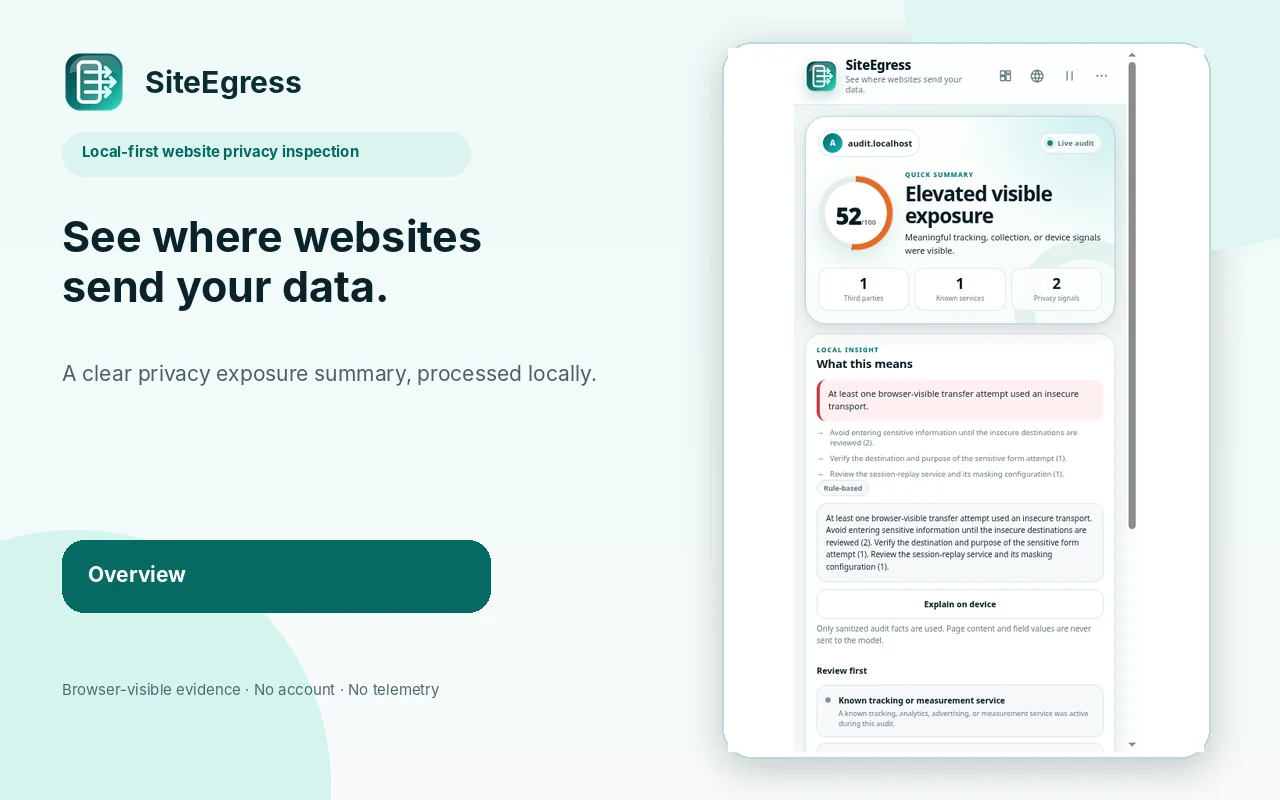
SiteEgress separates observed, declared, matched, and heuristic evidence and calculates an explainable exposure score.
The Side Panel presents a quick summary, full destination map, signals, evidence, optional local history, and exports.
SiteEgress has no account, developer audit backend, telemetry, advertising SDK, cloud sync, or external AI service. Privacy Checkpoints are bounded local summaries. Optional Geo Insights is off by default; raw destination IPs are never retained.
Both extensions are available on the Chrome Web Store. Install them independently from their official listings. SiteEgress 1.4.0 · Agent Guard 1.4.0